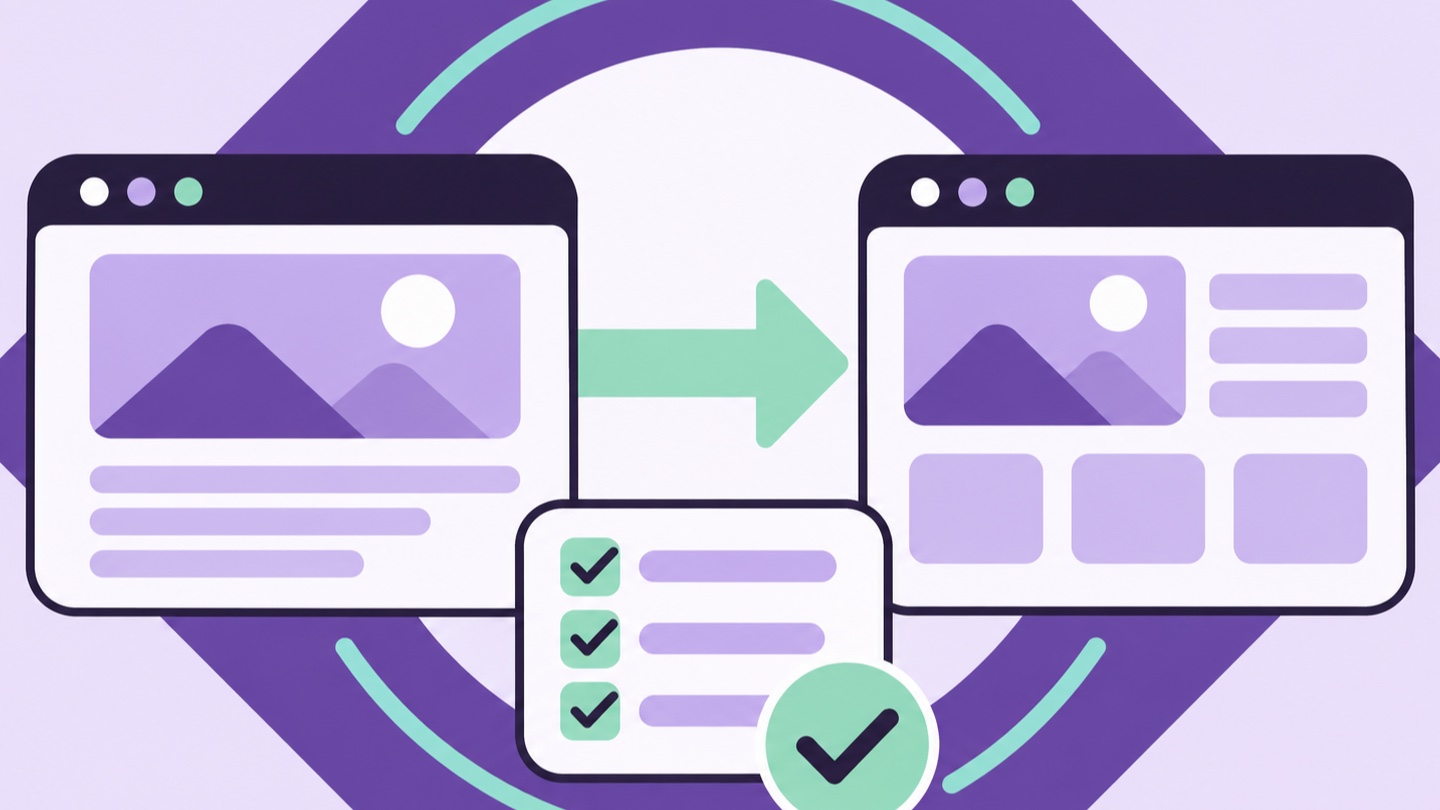
A website redesign changes what customers see. It can also change the addresses, headings, links, and forms they rely on to find and contact your business. A launch plan needs to account for both. If a service page already attracts qualified inquiries, record what it does today before deciding how to rebuild it. If its address has to change, decide where visitors and search engines should go before the new site goes live.
This website redesign SEO migration checklist is for small businesses moving to a new design, hosting setup, or content management system. You can use it for a five-page site or a larger rebuild. The level of detail will vary, but the basic work is the same. Inventory the current site, map changes, test the replacement, and monitor the results after launch.
Decide what kind of move you’re making
Write down what will change and what you can keep. A redesign that keeps its domain and URLs has a different scope from one that also changes its domain, moves from one content system to another, or consolidates multiple sites. Confirm whether the public site will switch between www and the bare domain, and whether existing paths will have the same form after launch.
Consider separating major changes when you can. A new design, rewritten content, a new domain, and new booking software all introduced at once can make troubleshooting harder. If the business needs to make those changes together, document each one and give someone responsibility for checking it during launch.
Identify the pages and actions that matter most to the business. The homepage may be important, but the first priority might be a service page that generates calls, a location page with directions, or a booking confirmation that staff rely on. Write down how you will know each one still works after the move. These criteria should guide the rebuild and the launch checklist.
Inventory the existing URLs before you rebuild
Gather URLs from the current sitemap, navigation, search reports, and any page inventory you already use. Look for pages people access through old emails, business listings, campaign links, or bookmarks. A crawler can help you find linked URLs. Data from Search Console and your analytics can help reveal pages that still receive visits even if they are hard to find in the current navigation.
Put the information in a spreadsheet. Include the old URL, page type, purpose, whether it should stay available, proposed destination, and who owns the decision. Add a column for business priority. Note whether the page receives organic clicks, useful inquiries, or links you care about. Include media or document URLs if customers regularly use them.
Make a distinction between a page’s business value and its traffic volume. A low-traffic page may still matter if it answers a question customers need before scheduling or contains a form employees use. An old article with traffic might also attract visitors who never need your services. Use the data to ask better questions about what each URL does for the business.
Record a baseline for pages and inquiries
Export a recent view of search clicks, impressions, and landing pages from Google Search Console. Include enough history to recognize a normal week and any predictable seasonal change. Record what you can about completed inquiries, calls, or bookings for key pages. Note which channels and events your team can already measure reliably.
Save the existing version of important pages, including the title, description, headings, and any content you expect to carry forward. Capture screenshots of key flows such as requesting a quote and booking an appointment. Keep the records in a shared place so the team can compare them with the new version without needing the old site online.
Agree on the questions you will ask after launch. Are important URLs still returning the right page? Do forms reach staff? Can search engines access the pages that should be public? Are the new pages receiving visits for the same customer needs? A baseline helps you answer each question with evidence instead of attributing every change to the redesign.
Keep established URLs where they still fit
If an established service page is still about the same service, consider keeping its URL. The page can get a better layout, clearer content, and more useful examples at its existing address. That helps customers reach it through their old links and reduces the number of redirects you need to maintain.
Some paths do need to change. A rebuild may combine pages that were created for the same offer or separate two services with very different audiences. Decide based on what a customer expects to find at the old address. When a page moves, choose a destination that serves the same purpose or gives the closest useful answer.
Review platform-generated paths as part of the plan. A move may affect article URLs, archives, file links, or pages created by scheduling and ecommerce features. Confirm the final path format before you approve the spreadsheet. Ask the developer whether the platform already redirects trailing slashes, hostname variants, or older routes so you can avoid unnecessary hops.
Map old URLs to specific new destinations
Create an explicit old-to-new map for every important URL that changes. If an old URL for office cleaning is replaced by a new office cleaning page, send visitors directly there. If a resource is combined with a newer guide on the same topic, use the consolidated page as the target. Record the rationale so the mapping still makes sense when someone reviews it later.
For a permanent move, configure permanent server-side redirects where supported. Google’s guide to site moves with URL changes explains how to prepare URL mappings, implement redirects, and monitor both versions of the site. Test your mappings as actual requests after launch. Verify the destination and its response, because a redirect can exist while pointing at the wrong page.
When a page is retired and there is no relevant replacement, returning an appropriate 404 or 410 can be a clearer outcome than redirecting it to an unrelated homepage. For visitors who reach an old address, make the site’s error page useful with a clear path to navigation or contact information. Update links you control so customers encounter the old address as rarely as possible.
Carry forward the information that helped people
Compare the current and proposed versions of each important page. Look for useful sections that could disappear in the redesign, such as service-area details, a qualification checklist, or explanations of how a quote works. If readers or staff rely on that information, include it in the new structure where people can still find it.
Write a descriptive SEO title, an accurate description, and a clear main heading for each important page. Preserve the underlying service intent when the offer remains the same. Improve the details that caused customers to call for clarification. For a practical review of copy, headings, proof, and calls to action, use our service page SEO checklist.
Check that internal links point to final addresses in the rebuilt site. Review navigation, homepage features, footer menus, article links, and buttons inside reusable components. Update the links directly instead of relying on redirects for routine navigation. If a teammate owns the business profile or directory listings, share the new destination with them before launch.
Check the staging site and prepare for indexing
Use a controlled staging environment for development. Agree on how access is restricted and document which settings need to change on the production site. A staging indexing directive or access restriction may be appropriate during development. Confirm that public pages can be crawled and indexed when the production version launches.
Review the canonical tags, sitemap, and indexing rules for the final version. Important pages should identify the appropriate production URL and appear in the sitemap where expected. Check for references to staging hosts, obsolete paths, or URLs that redirect. Inspect a sample from each page type rather than assuming the homepage reflects every template.
Plan how the team will verify Search Console access after the change. If verification depends on a DNS record, a file, or a tag, make sure the rebuild accounts for it. If a domain move is in scope, review the requirements for both properties before launch. An owner who can access reports on launch day can spot problems that a visual review alone would miss.
Test the actions customers use to reach you
Review the site on a phone and desktop, with special attention to landing pages that drive inquiries. Open the main navigation, tap the business phone number, submit the quote form, and try to schedule a meeting if booking is part of the site. Use a test case that goes through the actual customer flow, from the service page to the confirmation.
Check the other side of every request. Ask staff to confirm they received the message in the right inbox or system and that the submission contains the information they need. If the workflow creates a CRM record or sends a customer email, verify those steps too. A visible confirmation only shows what happened in the browser.
Review tracking for the events that matter to you. Test a form completion and check whether analytics records a successful action. If the booking happens on a separate system, identify what you can measure on each side. Note any changes to measurement before comparing old and new reports. A new event setup can change the numbers even if customer behavior stays the same.
Give launch day a clear order of operations
Choose a launch window with people available to check the website and respond to issues. Set a clear owner for changes to hosting, domain settings, or redirects. Document the approved version, take a usable backup, and agree on when a problem would justify reverting the launch. On a site that accepts orders or bookings, plan how new records will be handled if you need to roll back.
After switching the site, confirm the live domain opens over HTTPS. Check the homepage, major service pages, contact route, and representative URLs from your redirect map. Open them from outside your admin session. If you use a cache or content delivery service, make sure visitors receive the intended production version.
Run the most important tests before making announcements. Have the business owner and developer compare notes on calls, forms, redirects, navigation, and mobile display. Save the results with the time and URL so the team knows which version it checked. When a problem is found, assign it and retest the exact action after the fix.
Update external destinations and watch for gaps
Update the URLs your team controls. The site link in Google Business Profile, social bios, email signatures, campaign landing pages, and directories may point to a retired page. Focus first on destinations customers use to call, book, or get directions. Our local SEO guide for San Diego small businesses covers the connection between the profile and the pages customers land on.
Submit or verify the production sitemap in Search Console and inspect a few important pages. Monitor reporting for unexpected errors and use real requests to check suspected redirect or indexing issues. Compare new data to your baseline after enough activity has accumulated. Search engines process moves over time, so investigate specific anomalies and the pages affected.
Keep an issue list that separates launch problems from opportunities for later improvements. A contact form that goes nowhere, a service page blocked from indexing, or a redirect to the wrong destination should be addressed quickly. A page that could use a better photo or a clearer example can usually follow after the main customer paths are stable.
Use the first month to verify what matters
During the first few days, check the high-priority URLs and inquiry routes daily if the business depends heavily on the site. Make sure old links lead to useful destinations and that staff are receiving the expected requests. If a page unexpectedly disappears from search, inspect the URL and review its access rules, canonical, and redirects.
Over the next several weeks, compare search activity and qualified inquiries by landing page. Look at pages individually before drawing conclusions from sitewide totals. A change on one service page can be obscured by unrelated demand for another. Ask staff whether customers are finding the right offer and whether requests contain enough information to act on.
End the first month with a handoff. Save the URL inventory, redirect map, launch checks, and owners for follow-up tasks. Document how to edit common pages and which settings affect public availability. Keep the original migration records handy. They make future redesigns easier and give the team a place to start if an old link surfaces later.
Test a representative set of URL variations
An old page may be reachable through more than one address. A customer can have a bookmark with a trailing slash, while a directory might point to a version with an older hostname. Add the variants you actually see in the inventory. Check that each important version reaches the intended production URL without sending visitors through several intermediate pages.
Keep useful query parameters in mind. Some links carry campaign labels, and some website features depend on parameters to show a specific selection. Decide which values are meaningful before applying a rule that removes them. Test examples with and without parameters, then check that ordinary visitors still reach the right page and that your measurement behaves as expected.
Include a few URLs that should fail. Ask the team to open an invented path, a retired page with no replacement, and a private page that should require access. Confirm that each behaves as intended. These checks give you a better sample of the routing rules than testing the homepage and main menu alone.
Assign owners for fixes after the handoff
Give each launch task an owner who can act on it. The person who finds a broken destination may have access to the blog editor, while someone else controls routing or DNS. Keep contact details and escalation steps with the launch checklist so staff can report the URL and expected result to the right person.
For each open issue, record the first symptom, the page involved, the test that reproduces it, and the next owner. Ask the owner to document what changed and how they verified the result. A short report that says “the old estimate link now reaches the commercial quote form and the office received a test request” is easier to verify than a note that says “fixed redirect.”
Check high-value files before launch
Look for downloadable brochures, price sheets, and application forms that people have bookmarked or linked from emails. If a document moves, update the links you control and route its old address to a suitable replacement when possible. Open the live file as a visitor, verify that it is the current version, and confirm that any important links inside the document still work.
Frequently asked questions
Can I redesign my website without changing its URLs?
Yes. If the pages still serve the same purpose, you can often keep their addresses while improving the layout, copy, and forms. Confirm the final routes during development because a platform change or a new navigation structure can introduce path changes.
How long should I keep permanent redirects after launch?
Google recommends keeping redirects for at least a year after a site move with URL changes. Keeping useful redirects longer can help people who still follow old bookmarks or external links. Review important redirects before removing them.
Should I redirect every retired URL to the homepage?
Choose a destination that matches what the visitor expected. If a retired page has no suitable replacement, an appropriate error response and a helpful error page can give visitors a clearer path forward.
How do I know whether a drop after launch is a migration issue?
Start with the individual pages that lost activity. Check their response status, redirects, indexability, internal links, and content. Compare those findings with the baseline and note any changes to tracking, service demand, or campaign activity before deciding what caused the drop.
Plan your website redesign
Talk through the pages, redirects, and customer workflows your team needs to carry into the new site.
Explore Website Redesign